Table of Contents
- Why Freezing a Credit Card Makes Sense
- How Online Freezing Works Behind the Scenes
- Technical Considerations for Issuers
- Step‑by‑Step Guide: Freezing Your Credit Card Online
- 1. Log Into Your Account Securely
- 2. Navigate to Card Management
- 3. Select the Card to Freeze
- 4. Activate the Freeze
- 5. Receive Confirmation
- 6. Unfreeze When Needed
- Best Practices for Using the Freeze Feature
- Set Up Alerts Before You Freeze
- Update Recurring Payments If Needed
- Combine With Other Security Tools
- Know Your Issuer’s Policies
- Monitor Your Credit Report
- When Freezing Isn’t Enough
- Impact on Your Financial Routine
- Real‑World Example: A Day in the Life of a Freeze
- Common Questions About Freezing Credit Cards
- Does freezing affect my credit score?
- Can I freeze a card without internet access?
- Will a frozen card still work for existing subscriptions?
- Is there a fee for freezing a card?
- How long can a card stay frozen?
- Integrating Freeze with Your Overall Financial Strategy
Freeze credit card account online is a practical tool for anyone who suspects fraud, is traveling, or simply wants a temporary pause on spending. The process has become more user‑friendly over the past few years, with banks offering mobile apps and web portals that let cardholders lock or unlock their cards in seconds. This article walks you through the why, when, and how of freezing a credit card account online, while also covering the security implications and best practices you should keep in mind.
Imagine you’re on a business trip abroad and notice an unfamiliar charge on your statement. Rather than waiting on hold for a customer‑service representative, you pull out your phone, log into your banking app, and hit “Freeze Card.” In moments, the card stops processing new transactions, giving you breathing room to investigate. That same simplicity applies to everyday scenarios—lost cards, temporary budgeting breaks, or periods when you simply don’t want to be tempted by impulsive purchases.
Understanding the underlying mechanics of an online freeze helps you decide whether it’s the right move for your situation. Below, we explore the technical foundation, step‑by‑step instructions for major platforms, and practical tips to make the most of this security feature.
Why Freezing a Credit Card Makes Sense
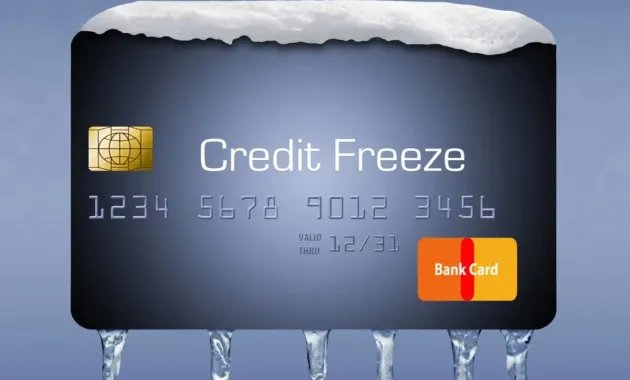
Freezing a credit card is essentially a command to the issuer’s payment network to reject any new authorization requests. The card’s number, expiration date, and CVV remain unchanged, but the card is placed in a “blocked” state until you reactivate it. This approach differs from canceling a card, which requires re‑issuing a new number and updating recurring payments.
Key reasons people choose to freeze their cards include:
- Suspected fraud or unauthorized activity: A sudden unfamiliar charge can signal a compromised card.
- Temporary loss or misplacement: If you misplace your wallet, freezing prevents misuse while you search.
- Budget control: Some users freeze their cards during a financial reset to avoid impulsive spending.
- Travel safety: While traveling, you may freeze your domestic card and keep a separate card for foreign transactions.
Each of these scenarios benefits from the immediacy of an online freeze. The feature also aligns with broader security trends, such as the importance of immediate reporting when suspicious activity arises.
How Online Freezing Works Behind the Scenes

When you click “Freeze” in your bank’s app, the request travels through a secure API to the issuer’s core processing system. The system then updates the card’s status flag from “active” to “frozen.” Payment processors like Visa or Mastercard receive this flag and reject any subsequent authorization attempts, returning a decline code to the merchant. The change is reflected in real time across all points of sale, including online retailers, contactless terminals, and ATMs.
Because the underlying card data does not change, any recurring subscriptions (e.g., Netflix or gym memberships) remain linked. If a transaction is already in the pipeline—such as a pending authorization that occurred moments before the freeze—it may still be processed, which is why timing matters.
Technical Considerations for Issuers
- Ensuring low latency updates to prevent a window where a transaction could slip through.
- Maintaining audit logs for regulatory compliance and dispute resolution.
- Providing a seamless UI/UX so customers can toggle the status without confusion.
Step‑by‑Step Guide: Freezing Your Credit Card Online
The exact steps vary by issuer, but most follow a similar pattern. Below, we outline a generic process that you can adapt to your bank’s platform.
1. Log Into Your Account Securely
Open the bank’s official website or mobile app. Use two‑factor authentication (2FA) if offered—typically a one‑time password sent via SMS or generated by an authenticator app. This extra layer protects your credentials from phishing attacks.
2. Navigate to Card Management
Look for sections titled “Cards,” “Card Services,” or “Security Settings.” Some banks place the freeze option under “Account Overview” alongside balance and transaction history.
3. Select the Card to Freeze
If you hold multiple credit cards, choose the one you wish to lock. Verify the last four digits displayed to avoid freezing the wrong account.
4. Activate the Freeze
Click the “Freeze Card,” “Lock Card,” or similar button. Most interfaces show a confirmation pop‑up—confirm the action, and the status should change instantly to “Frozen.” You’ll often see a visual cue, such as a red lock icon.
5. Receive Confirmation
After the action completes, the system sends a notification—via email, SMS, or push notification—confirming that the card is frozen. Keep this message for your records.
6. Unfreeze When Needed
When you locate your card or decide to resume spending, repeat the steps and select “Unfreeze” or “Unlock.” The card becomes active within seconds, ready for new purchases.
Best Practices for Using the Freeze Feature
While freezing is straightforward, following these best practices enhances security and minimizes inconvenience.
Set Up Alerts Before You Freeze
Enable transaction alerts so you’re instantly notified of any attempt to use a frozen card. Some banks will still send a decline notice, which can help you track suspicious activity.
Update Recurring Payments If Needed
If you plan to keep the card frozen for an extended period, consider updating recurring payment methods. Otherwise, you risk missed payments and potential fees.
Combine With Other Security Tools
Most issuers also offer virtual card numbers, one‑time passwords, and purchase limits. Pairing a freeze with these tools creates a layered defense. For example, after freezing, you might generate a virtual card for online shopping to keep your real number hidden.
Know Your Issuer’s Policies
Some banks may temporarily suspend certain features—like cash advances—when a card is frozen. Review the terms in the FAQ or help center to avoid surprises.
Monitor Your Credit Report
A frozen card does not affect your credit score, but it’s wise to review your credit report periodically for unauthorized lines of credit. This habit complements the freeze’s protective effect.
When Freezing Isn’t Enough

Freezing works well for most everyday concerns, but there are scenarios where a full card replacement is necessary.
- Confirmed data breach: If you receive a notification that your card number was compromised, request a new card immediately.
- Physical damage: A cracked chip or worn magnetic stripe may cause transaction failures; a new card resolves the issue.
- Long‑term loss: If you cannot locate a misplaced card after several days, a replacement ensures you’re not left vulnerable.
In these cases, use the issuer’s “Replace Card” or “Order New Card” feature, which may also be accessible online.
Impact on Your Financial Routine
Freezing a credit card can affect budgeting, cash flow, and even reward accumulation. If you rely on a specific card for cash‑back or travel points, a freeze halts new earnings but does not erase past rewards.
For individuals focused on maximizing benefits, consider maintaining a secondary card for regular purchases while keeping the primary card frozen during high‑risk periods. This approach lets you continue earning while still protecting your most valuable account.
Additionally, a freeze can inadvertently trigger a late fee if a scheduled payment is due and cannot be processed. To avoid this, schedule payments before freezing or set up automatic payments from a different source.
Real‑World Example: A Day in the Life of a Freeze
Sarah, a freelance graphic designer, noticed a $250 charge from an online retailer she never visited. She logged into her bank’s app while commuting, tapped “Freeze Card,” and received an instant push notification confirming the block. Within minutes, she called the issuer’s fraud line, reported the unauthorized transaction, and requested a new card. The freeze prevented any further fraudulent attempts, and the bank’s investigation cleared the charge after a few days. Sarah’s experience illustrates how a simple online freeze can thwart potential losses and give peace of mind.
Common Questions About Freezing Credit Cards
Does freezing affect my credit score?
No. Freezing a card changes its status in the issuer’s system but does not impact your credit utilization or payment history, both of which influence your score.
Can I freeze a card without internet access?
Most issuers require an online connection, but some provide a phone line for freezing. However, the online method is faster and offers instant confirmation.
Will a frozen card still work for existing subscriptions?
Yes, the card remains linked to merchants, but new purchase attempts will be declined. If a subscription attempts to charge while the card is frozen, the transaction will fail, possibly leading to service interruption.
Is there a fee for freezing a card?
Generally, no. Freezing is a complimentary security feature offered by most major banks. Check your issuer’s policy to be certain.
How long can a card stay frozen?
There is typically no time limit. You can keep a card frozen indefinitely until you decide to reactivate it.
Integrating Freeze with Your Overall Financial Strategy

When building a comprehensive financial plan, consider the freeze function as part of your risk‑management toolkit. Pair it with regular credit monitoring, secure password practices, and a diversified set of payment methods. For instance, you might keep a low‑interest balance transfer card active for emergencies while freezing a high‑rewards card during periods of reduced spending.
To set up a robust system, start by reviewing your existing credit cards and identifying which ones you use most frequently. Then, explore each issuer’s online portal to locate the freeze option. If the feature is missing, contact customer support and request its activation—many banks will enable it upon request.
Finally, educate any co‑owners or authorized users about the freeze process. A shared understanding ensures that everyone can act quickly if a security concern arises.
By treating the online freeze as a proactive, rather than reactive, measure, you strengthen your defense against fraud, reduce the likelihood of unexpected fees, and maintain greater control over your financial life.
Whether you’re a frequent traveler, a diligent budgeter, or simply someone who values peace of mind, mastering the art of freezing a credit card account online equips you with a simple yet powerful tool. The next time you spot an unfamiliar charge or misplace your wallet, you’ll know exactly how to protect your assets in seconds, without the need for lengthy phone calls or paperwork.