Table of Contents
- Understanding the Basics of Travel Notifications
- Key Benefits of a Travel Notification
- Step‑by‑Step Guide to Setting Up a Travel Notification
- 1. Gather Your Trip Details
- 2. Log Into Your Account
- 3. Enter the Travel Information
- 4. Confirm and Save
- 5. Verify the Notification
- 6. Keep a Backup Plan
- Common Pitfalls and How to Avoid Them
- Failing to Update the Notification
- Using the Wrong Card
- Ignoring Local Currency Conversions
- Not Checking for Travel Alerts Before Boarding
- Special Considerations for Different Types of Travelers
- Business Travelers
- Long‑Term Expatriates
- Adventure Travelers
- Integrating Travel Notifications With Broader Financial Safety Practices
- Use a Credit Card That Offers No Foreign Transaction Fees
- Set Up Real‑Time Transaction Alerts
- Know How to Freeze Your Card Temporarily
- Maintain a Credit‑Building Routine
- Frequently Asked Questions About Travel Notifications
Setting up a travel notification for your credit card is one of the simplest yet most effective steps you can take before leaving home. The process alerts your issuer that you will be using the card abroad, which helps prevent unnecessary fraud alerts and declined transactions. In this article, we walk through the why, when, and how of travel notifications, weaving practical advice with short, factual stories that illustrate each point.
Imagine Anna, a frequent flyer who recently booked a trip to Tokyo. She remembers a past experience where her card was declined at a vending machine because the bank thought the transaction was fraudulent. Determined not to repeat that mistake, Anna logs into her online banking portal and sets a travel notice before her flight. The next day, she enjoys her sushi dinner without interruption. Her story reflects the core benefit of a travel notification: keeping your credit line active while you cross borders.
Travel notifications also protect your credit score indirectly. When a transaction is falsely flagged as fraud, the issuer may place a temporary hold on your account, which could cause you to miss a payment due date. That missed payment, even if brief, can affect your credit history. By pre‑emptively informing the bank, you reduce the chance of such disruptions and maintain a smooth financial record.
Understanding the Basics of Travel Notifications
A travel notification is a brief message you send to your card issuer, indicating the dates and countries where you plan to use your card. It is not a legal requirement, but most issuers recommend it as a best practice for international travel. The notification can usually be set up through:
- Online banking or mobile app
- Phone call to customer service
- Secure chat function on the issuer’s website
Most banks allow you to add multiple trips, specify exact dates, and even indicate the types of purchases you expect (e.g., hotels, restaurants, transportation). The information is stored temporarily, and the system flags any transaction that falls outside the declared parameters for extra verification.
Key Benefits of a Travel Notification
- Reduced Declines: Transactions that match your travel plan are less likely to be blocked.
- Fraud Prevention: Unusual activity outside the notified region still triggers alerts, keeping your account safe.
- Peace of Mind: You can focus on enjoying the trip rather than worrying about payment issues.
Step‑by‑Step Guide to Setting Up a Travel Notification
Below is a practical, chronological walkthrough that mirrors a typical user journey. Follow each stage to ensure your card remains active while you explore new destinations.
1. Gather Your Trip Details
Before you log in, have the following information ready:
- Departure and return dates (or an approximate range)
- Countries and major cities you will visit
- Any planned stops where you might use the card extensively (e.g., a business conference in Berlin)
Having precise dates helps the issuer’s system differentiate between legitimate travel usage and potential fraud.
2. Log Into Your Account
Most modern banks feature a dedicated “Travel Notice” tab within the dashboard. If you’re using a mobile app, the option is usually found under “Security Settings” or “Profile”. For example, a user of the MySynchrony portal would navigate to the “Travel Alerts” section after a secure login.
3. Enter the Travel Information
Input the data you collected. Some platforms let you copy‑paste a list of destinations, while others require you to add each country individually. Double‑check for typos; an incorrect country name could cause the system to ignore the notice.
4. Confirm and Save
After entering the details, the system typically asks you to confirm the information. Review it carefully, then click “Save” or “Submit”. A confirmation screen or email will appear, indicating that your travel notification is active.
5. Verify the Notification
It’s wise to verify that the notice has been recorded. Return to the “Travel Alerts” page and look for a status indicator (e.g., “Active”, “Pending”). If you don’t see the entry, repeat the process or contact customer service.
6. Keep a Backup Plan
Even with a travel notification, occasional declines can happen—especially if you use a chip‑and‑pin card in a region that primarily uses magnetic stripe readers. Carry a secondary payment method, such as a prepaid travel card or cash, as a fallback.
Common Pitfalls and How to Avoid Them
While the steps above are straightforward, travelers sometimes overlook subtle details that lead to trouble abroad. Below are frequent issues and practical solutions.
Failing to Update the Notification
Trips can extend unexpectedly. If your return date changes, log back into your account and adjust the end date. Failure to do so may cause a legitimate purchase to be flagged as suspicious.
Using the Wrong Card
Many people have multiple credit cards. If you set a travel notice on Card A but use Card B for most purchases, you could still face declines. Review your wallet before departure and set notices for each card you intend to use.
Ignoring Local Currency Conversions
Some issuers treat purchases in a foreign currency as higher risk, even with a travel notice. To mitigate this, consider enabling “dynamic currency conversion” if your card offers it, or use a card that doesn’t charge foreign transaction fees. For a deeper dive into fees, read The Hidden Costs of Maxing Out Your Credit Card, which also discusses fee structures.
Not Checking for Travel Alerts Before Boarding
Some airlines and airports have security protocols that can affect card usage. A quick check of your issuer’s travel advisory page before you leave can reveal any region‑specific restrictions.
Special Considerations for Different Types of Travelers
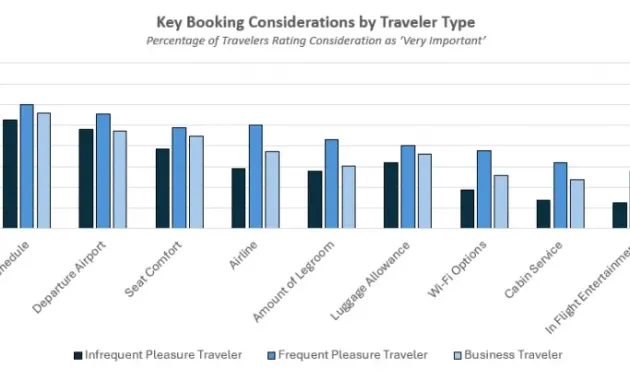
Travel notification needs vary based on the purpose and length of the trip. Below we outline scenarios that illustrate how to adapt the process.
Business Travelers
Business trips often involve multiple short stays in different cities. In this case, a broader date range (e.g., a month) and a list of all possible countries may be more efficient than creating a separate notice for each leg.
Long‑Term Expatriates
Expats who relocate for months or years should consider a permanent travel setting, if the issuer offers it. Some banks allow you to flag an “always‑on” status for a specific country, eliminating the need for frequent updates.
Adventure Travelers
Those venturing off the beaten path might encounter limited connectivity. It’s prudent to download the issuer’s mobile app and enable offline access to your travel notice. This ensures you can verify the notice even when you’re in a remote area.
Integrating Travel Notifications With Broader Financial Safety Practices
A travel notification is only one component of a comprehensive travel finance strategy. Combining it with other safeguards maximizes security and convenience.
Use a Credit Card That Offers No Foreign Transaction Fees
Cards that waive these fees reduce the overall cost of overseas spending. Pairing such a card with a travel notification makes the experience smoother.
Set Up Real‑Time Transaction Alerts
Enable push notifications for every purchase. If a transaction occurs that you don’t recognize, you can act immediately—either by confirming it or by contacting the issuer.
Know How to Freeze Your Card Temporarily
If you suspect fraud while abroad, many issuers let you freeze the card with a single tap in the app. This quick action can prevent further unauthorized use. For details on this process, see How to Freeze Your Credit Card Temporarily.
Maintain a Credit‑Building Routine
Even while traveling, continue to use your card responsibly to build credit history. Regular, on‑time payments contribute to a stronger credit profile. If you want a deeper understanding of how this works, explore How to Use a Credit Card to Build Credit History – The Proven Roadmap You’ve Been Waiting For.
Frequently Asked Questions About Travel Notifications
- Do I need a travel notification for domestic trips? Generally, no. Domestic usage is already expected, and most issuers treat it as normal activity.
- Can I set a travel notice for a single purchase? Some banks allow you to flag a specific merchant, but this is rare. A broader travel notice is usually more effective.
- Will a travel notice affect my credit limit? No. The notice only informs fraud detection systems; it does not change your credit terms.
- How far in advance should I set the notification? Most issuers recommend at least 24–48 hours before departure, though many allow same‑day updates.
- What if I forget to set a notice? If a transaction is declined, you can often resolve it by calling the issuer’s emergency line, which is typically available 24/7.
By addressing these common concerns, you can anticipate potential hiccups and prepare solutions ahead of time.
In summary, setting up a travel notification for your credit card is a low‑effort, high‑reward action that safeguards your purchasing power abroad. It reduces the likelihood of declined transactions, protects against fraud, and supports a smooth financial experience while you explore new horizons. Remember to combine this step with other best practices—such as using cards without foreign fees, enabling real‑time alerts, and knowing how to freeze your card if needed—to create a comprehensive travel finance plan.