
Table of Contents
- Getting Started: Activation and First Use
- Setting Up Online Account Access
- Understanding the Billing Cycle
- Key Dates to Remember
- Payment Methods: How to Pay Your Home Depot Card
- Online Payments
- Mobile App
- Phone Payments
- In‑Store Payments
- Special Financing and Promotional Offers
- How Promotional APR Works
- Common Payment Issues and How to Resolve Them
- Payment Declines
- Credit Card Holds
- Disputes and Unauthorized Transactions
- Best Practices for Managing Your Home Depot Credit Card
- Set Up Autopay with a Buffer
- Monitor Statements Regularly
- Leverage Rewards Wisely
- Update Contact Information Promptly
- When to Consider Closing the Card
- Impact on Credit Score
- Alternative Options
When you walk through the aisles of Home Depot, the sight of the bright orange and white card near the checkout can be tempting. The Home Depot credit card payment system is designed to simplify purchases, offer special financing, and reward loyal DIY enthusiasts. Understanding how to manage this card—whether you’re paying a balance, setting up autopay, or resolving a dispute—can make the difference between a seamless shopping experience and an unexpected headache.
In this article we will walk through the entire lifecycle of a Home Depot credit card payment, from the moment you receive your card to the strategies you can employ to avoid fees and maintain a healthy credit profile. The narrative follows a typical cardholder’s journey, highlighting key milestones such as activation, monthly billing cycles, online payment options, and what happens if a payment is missed.
By the end of this guide, you’ll have a clear roadmap for handling every payment scenario, and you’ll know where to turn for help if something goes wrong. Let’s start at the beginning, when the card first arrives in your mailbox.
Getting Started: Activation and First Use

The first step after receiving your Home Depot credit card is activation. Activation verifies that the card is in your hands and links it to your personal information in Home Depot’s database. This process can be completed online, over the phone, or at any Home Depot store. If you prefer a quick digital route, you might find the steps similar to those described in Unlock Your New Visa Card in Minutes – The Complete Activation Guide. Once activated, the card is ready for purchases and for setting up payment preferences.
Setting Up Online Account Access
- Visit the Home Depot credit card portal and create a user ID and password.
- Link the card to an email address for statements and alerts.
- Enable two‑factor authentication for added security.
Having online access is essential because it allows you to view balances, download statements, and schedule payments without visiting a branch.
Understanding the Billing Cycle

Home Depot credit cards operate on a monthly billing cycle, typically lasting 30 days. Your statement will list a “Statement Date” (the day the bill is generated) and a “Payment Due Date” (usually 25 days later). Paying the full balance by the due date helps you avoid interest charges, while carrying a balance triggers the card’s APR, which can be higher than standard credit cards.
Key Dates to Remember
- Statement Date: Marks the closing of your current billing period.
- Payment Due Date: The last day to make a payment without incurring late fees.
- Grace Period: If you pay the full balance, you typically enjoy a grace period where no interest accrues.
Missing a payment can trigger a cascade of consequences, from a $35 late fee to a higher interest rate. For a detailed look at what happens after a missed payment, see the article Missed a Credit Card Payment? Here’s Exactly What Happens and How to Bounce Back.
Payment Methods: How to Pay Your Home Depot Card
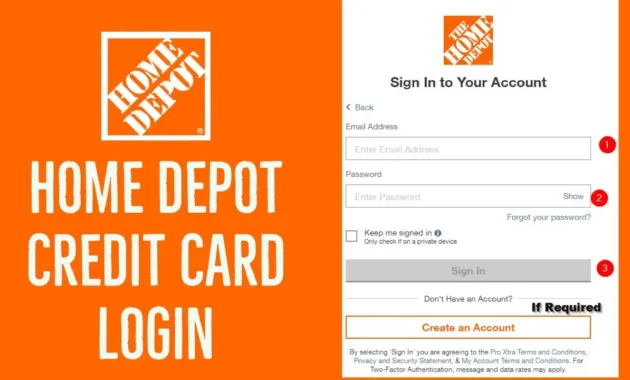
Home Depot offers several convenient ways to make a credit card payment. Each method has its own processing time and potential fees, so choosing the right one depends on your personal schedule and preferences.
Online Payments
Logging into the card’s portal allows you to pay directly from a checking or savings account. Payments are typically processed within 1–2 business days. To speed up the process, schedule payments a few days before the due date, especially during holidays when banking systems may be slower.
Mobile App
The Home Depot mobile app mirrors the web portal’s functionality, offering push notifications for upcoming due dates and confirming payment receipt instantly. The app also lets you set up recurring autopay, which can be an effective way to avoid missed payments.
Phone Payments
Calling the customer service number printed on the back of your card enables you to make a payment using a credit or debit card. This method incurs a small processing fee (usually around 2% of the payment amount), making it less cost‑effective for large balances.
In‑Store Payments
You can walk into any Home Depot location and pay at the customer service desk using cash, check, or another debit/credit card. The transaction is processed immediately, and you receive a receipt confirming the payment.
Special Financing and Promotional Offers

One of the main attractions of the Home Depot credit card is access to special financing options, such as “0% APR for 6 months” on purchases over $299. These promotions can be useful for large home improvement projects, but they come with strict rules.
How Promotional APR Works
- The promotional period begins on the purchase date, not the statement date.
- Any balance carried beyond the promotional window automatically converts to the standard APR, often retroactively applied to the entire balance.
- Missing a payment during the promotional period may trigger an early termination fee and revert the balance to the regular APR.
Before relying on a promotional offer, calculate the total cost of the purchase, including any potential interest if you think you might not pay it off within the promotional timeframe.
Common Payment Issues and How to Resolve Them

Even diligent cardholders occasionally encounter hiccups. Understanding the typical problems and the steps to resolve them can save time and protect your credit score.
Payment Declines
A payment may be declined if the linked bank account has insufficient funds, if the card’s security settings block the transaction, or if there’s a temporary hold on the account. In many cases, contacting your bank or checking the account balance resolves the issue within a day.
Credit Card Holds
Sometimes, a merchant places a temporary hold on your Home Depot credit card for a portion of the purchase amount. This “hold” reduces your available credit until the transaction settles, usually within 3–7 business days. For a deeper dive into how holds work, read What Is a Credit Card Hold? Uncover the Hidden Mechanics Behind Your Transactions.
Disputes and Unauthorized Transactions
If you notice a charge you didn’t authorize, contact Home Depot’s fraud department immediately. They will investigate, potentially issue a provisional credit, and may request supporting documentation. Prompt reporting is crucial to limit liability and protect your credit record.
Best Practices for Managing Your Home Depot Credit Card
Keeping your Home Depot credit card in good standing requires a blend of routine monitoring and strategic use. Below are actionable tips that can help you stay on top of payments and maximize benefits.
Set Up Autopay with a Buffer
- Enroll in autopay for at least the minimum amount, then schedule a manual payment for the remaining balance a few days before the due date.
- Maintain a small buffer in your checking account to avoid overdraft fees.
Monitor Statements Regularly
Log in weekly to review transactions. Early detection of errors or unauthorized purchases gives you a better chance to resolve them quickly.
Leverage Rewards Wisely
The Home Depot credit card often provides a 5% discount on eligible purchases for cardholders. Use the card for planned home improvement projects rather than everyday small purchases to ensure the discount outweighs any potential interest.
Update Contact Information Promptly
Keeping your mailing address, email, and phone number current ensures you receive statements and alerts on time. A step‑by‑step guide for updating card contact info can be found in The Simple, Foolproof Way to Update Your Credit Card Contact Info and Keep Your Account Safe.
When to Consider Closing the Card

While the Home Depot credit card can be a valuable tool, there are scenarios where closing the account makes sense. These include high annual fees, a persistent pattern of carrying balances, or a desire to simplify your credit portfolio.
Impact on Credit Score
Closing a revolving account can affect your credit utilization ratio, potentially lowering your score. Before closing, consider paying down the balance, then requesting a credit limit increase on another card to offset the utilization impact.
Alternative Options
If you need a store card for occasional purchases, a standard Visa or Mastercard with a lower APR may be a better fit. Comparing offers such as the “10 Best Credit Cards for Dining Rewards” can help you find a card that aligns with your broader financial goals.
Ultimately, the decision to keep or close the Home Depot credit card should be based on a careful review of fees, usage patterns, and overall credit strategy.
Managing a Home Depot credit card payment is straightforward once you understand the billing cycle, payment options, and potential pitfalls. By activating the card promptly, setting up reliable payment methods, and staying vigilant with statements, you can enjoy the convenience and rewards the card offers without incurring unnecessary costs. Remember that regular monitoring, timely payments, and informed use of promotional financing are the pillars of a healthy relationship with any credit card, including Home Depot’s.