![Credit Card Processing Guide: Everything You Need to Know [in 2022]](https://blog.avaller.com/wp-content/uploads/2026/01/credit-card-processing-guide-everything-you-need-to-know-in-2022.webp)
Table of Contents
- Understanding the Process Behind Bank Transfers for Credit Card Payments
- Key Components of the Transfer
- Benefits of Paying Your Credit Card with a Bank Transfer
- Cost Efficiency
- Enhanced Control and Visibility
- Improved Security
- Automatic Payments Reduce Late Fees
- Step‑by‑Step Guide to Pay Credit Card with Bank Transfer
- 1. Gather Required Information
- 2. Log Into Your Bank’s Online Platform
- 3. Add a New Payee
- 4. Set the Payment Amount and Date
- 5. Review and Confirm
- 6. Monitor the Transaction
- Common Issues and How to Resolve Them
- Payment Not Applied to the Correct Account
- Insufficient Funds or Overdraft
- Delay in Posting
- Incorrect Payee Details
- Security Considerations When Using Bank Transfers
- Use Two‑Factor Authentication (2FA)
- Verify the Payee’s Details Independently
- Monitor Account Activity Regularly
- Stay Informed About ACH Regulations
Pay credit card with bank transfer is a practical option for many cardholders who prefer to manage their finances directly from their checking or savings accounts. Instead of relying on online bill‑pay portals, mobile apps, or third‑party services, a direct bank transfer can streamline payments, reduce processing time, and often avoid additional service charges. This method is especially appealing for those who already schedule recurring transfers for other expenses, such as mortgage or utility bills.
In today’s financial landscape, consumers are increasingly looking for ways to simplify payment workflows while maintaining strong security controls. By integrating credit‑card payments into existing bank‑transfer routines, you can keep a single view of cash flow, minimize the number of platforms you interact with, and potentially improve your budgeting accuracy. The following sections detail the mechanics, benefits, and best practices for using a bank transfer to settle your credit‑card balance.
Before diving into the step‑by‑step instructions, it’s helpful to understand why many banks and card issuers support this feature, and what you should watch out for to ensure a smooth experience. Whether you are a first‑time user or looking to refine an established routine, the information below will serve as a comprehensive reference.
Understanding the Process Behind Bank Transfers for Credit Card Payments
![Credit Card Processing Guide: Everything You Need to Know [in 2022]](https://blog.avaller.com/wp-content/uploads/2026/01/credit-card-processing-guide-everything-you-need-to-know-in-2022-630x380.webp)
A bank transfer—often called an electronic funds transfer (EFT) or ACH (Automated Clearing House) transaction in the United States—moves money directly from your bank account to the credit‑card issuer’s account. Unlike a traditional check, the transfer is initiated electronically, and the funds are typically credited to your card balance within one to three business days.
Most banks provide a dedicated “Bill Pay” section where you can add the credit‑card issuer as a payee. You will need the issuer’s name, payment address, and the specific account number associated with your card (often the 16‑digit card number). Some banks also allow you to schedule recurring transfers, ensuring that you never miss a due date.
For a deeper look at the financial infrastructure that makes these transfers possible, you may want to read Understanding the Core Concepts. The article explains how ACH networks operate and why they are considered reliable for routine payments.
Key Components of the Transfer
- Originating Bank: The institution where your checking or savings account resides.
- Receiving Institution: The credit‑card issuer’s processing center that applies the funds to your account.
- Reference Information: Often includes your card number and a memo field to help the issuer match the payment correctly.
- Processing Time: Typically 1–3 business days, though same‑day ACH is becoming more common.
Benefits of Paying Your Credit Card with a Bank Transfer
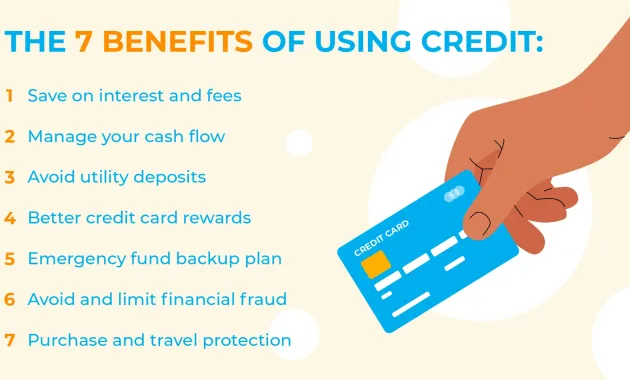
Choosing a bank transfer over other payment methods can deliver several tangible advantages. Understanding these can help you decide whether this approach aligns with your financial strategy.
Cost Efficiency
Many banks do not charge a fee for ACH transfers, especially when the transaction is set up as a bill‑pay item. In contrast, some third‑party services impose per‑transaction fees that add up over time.
Enhanced Control and Visibility
Because the transfer originates from the same account you use for other regular payments, you can view all outgoing funds in one place. This consolidation simplifies cash‑flow analysis and reduces the risk of duplicate payments.
Improved Security
Bank transfers rely on encrypted connections and the institution’s internal fraud‑prevention mechanisms. There is no need to share your credit‑card details with additional platforms, which can lower exposure to data breaches.
Automatic Payments Reduce Late Fees
By scheduling recurring transfers, you can ensure that payments are sent before the due date each month. This practice helps you avoid costly late fees and protects your credit score.
Step‑by‑Step Guide to Pay Credit Card with Bank Transfer
Below is a detailed walkthrough that you can follow regardless of whether you use an online banking portal, a mobile app, or a desktop interface.
1. Gather Required Information
- Credit‑card issuer’s name (e.g., “Bank of America” or “Chase”).
- Issuer’s payment address (often found on your billing statement).
- Your full credit‑card number or the specific account identifier the issuer requests.
- Amount you wish to pay (minimum payment, statement balance, or any custom amount).
2. Log Into Your Bank’s Online Platform
Navigate to the “Bill Pay” or “Payments” section. If you are using a mobile app, look for a similar menu labeled “Pay Bills” or “Transfers.”
3. Add a New Payee
Enter the issuer’s details exactly as they appear on your statement. Double‑check the account number field; a single digit error can cause the payment to be misapplied.
4. Set the Payment Amount and Date
Choose whether the payment is a one‑time transaction or a recurring schedule. If you opt for recurring payments, select the frequency (monthly, bi‑weekly, etc.) and the day of the month that aligns with your statement closing date.
5. Review and Confirm
Before hitting “Submit,” review all fields for accuracy. Most platforms provide a summary screen that highlights any potential issues, such as insufficient funds.
6. Monitor the Transaction
After confirmation, you will receive a reference number. Keep this for your records. Within 24–72 hours, log into your credit‑card account to verify that the payment posted correctly.
For those interested in optimizing savings while managing credit‑card expenses, consider exploring the best credit cards for Netflix subscriptions. The article outlines cards that offer cash‑back or points that can offset entertainment costs, complementing the disciplined payment approach described here.
Common Issues and How to Resolve Them

Even with a straightforward process, occasional hiccups can arise. Below are typical problems and practical solutions.
Payment Not Applied to the Correct Account
If the issuer cannot match the transfer to your card, the payment may sit as an unallocated credit. Contact the issuer’s customer service with your transaction reference number and request proper allocation.
Insufficient Funds or Overdraft
Ensure that your bank account has enough balance to cover the scheduled payment, especially if you have set up recurring transfers. Overdraft fees can quickly erode any savings gained from avoiding credit‑card fees.
Delay in Posting
While most ACH transfers post within two business days, occasional delays occur due to bank holidays or processing backlogs. If the payment is critical (e.g., near the due date), consider initiating the transfer a few days earlier.
Incorrect Payee Details
A typo in the issuer’s name or address can cause the transfer to be rejected. Always copy the information directly from a recent statement or the issuer’s website to minimize errors.
Security Considerations When Using Bank Transfers
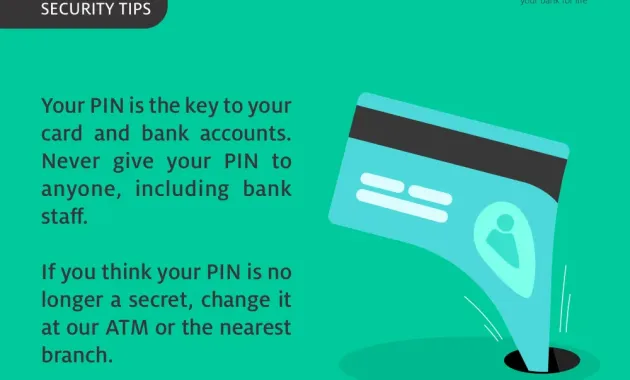
Security is a paramount concern when moving money between accounts. Although bank transfers are generally safe, implementing additional safeguards can further protect your finances.
Use Two‑Factor Authentication (2FA)
Enable 2FA on both your banking and credit‑card online accounts. This adds an extra layer of verification beyond just a password.
Verify the Payee’s Details Independently
Before adding a new payee, compare the address and account number with official documents from the issuer. Phishing attacks sometimes attempt to redirect payments to fraudulent accounts.
Monitor Account Activity Regularly
Set up alerts for large transactions or any changes to your bill‑pay list. Prompt detection of unauthorized activity can limit potential loss.
Stay Informed About ACH Regulations
Regulatory updates occasionally modify processing windows or introduce new authentication requirements. Keeping abreast of these changes ensures you remain compliant and can adjust your payment schedule accordingly.
If you ever need to adjust your credit‑card billing address, the process is covered in How to Quickly Update Your Credit Card Billing Address Without Hassle – The Ultimate Guide. Maintaining accurate address information is essential for both statement delivery and successful bank‑transfer payments.
In addition, understanding how to manage interest rate changes can safeguard your finances. The article How to Safely Opt Out of a Credit Card Interest Rate Increase and Keep Your Money Secure offers actionable steps that complement the disciplined payment habits discussed here.
By following the guidelines outlined above, you can integrate bank transfers into your regular credit‑card payment routine with confidence. The approach blends convenience, cost‑effectiveness, and security, allowing you to focus on broader financial goals rather than the mechanics of each monthly payment.